Changing paper roll 1 0
Last updated on Jun 23, 2022 02:27 in Maintenance
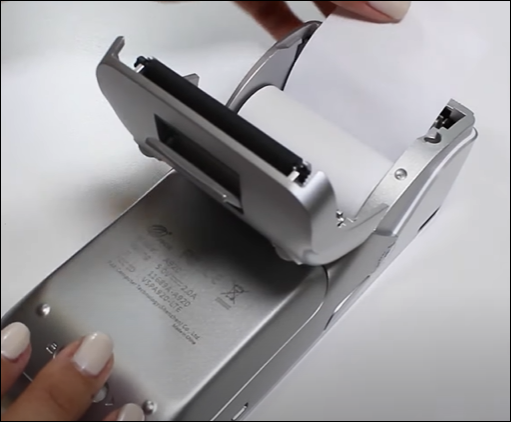
- Flip the POS machine back
- Open the back cover
- Remove the old paper roll if any
- Place the new paper roll
- Paper roll should be facing upwards
- Close the paper roll cover lid
- Do test printing before using the POS machine